What you'll learn
Before you start
- A UKG account with API access
- A service account (username + password) and your Company ID
1
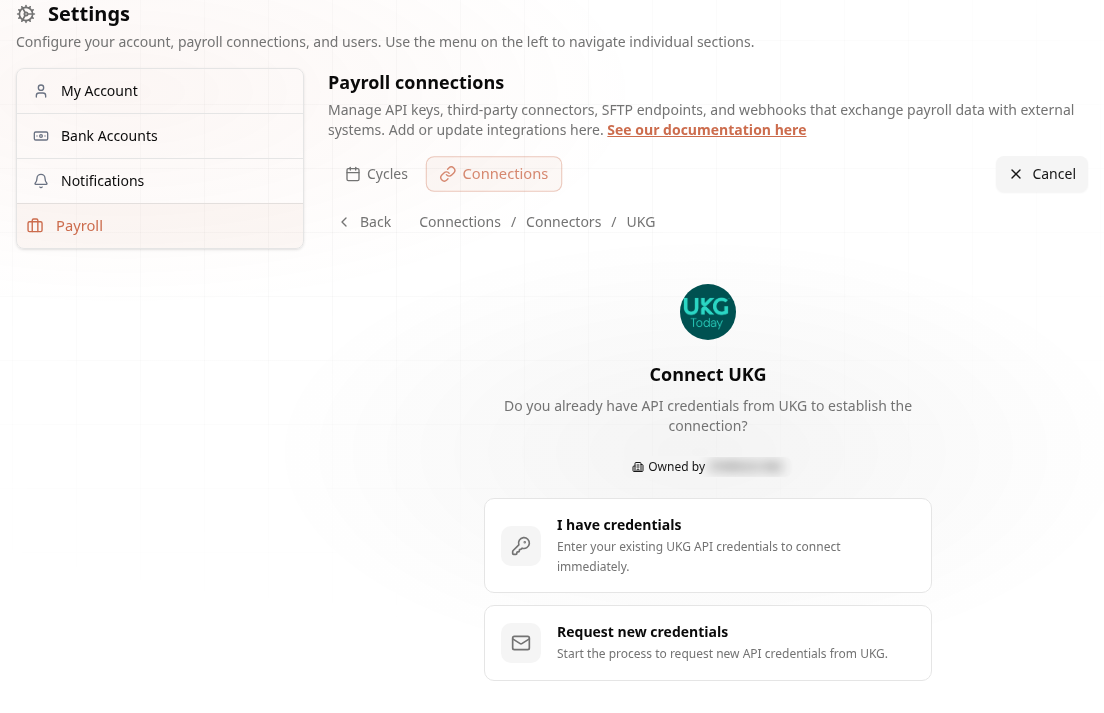
Open the UKG Connector
UKG lives under Connectors.
Go to Settings → Payroll → Connections → Create Connection → Connectors and click Connect on the UKG card. The wizard asks whether you already have API credentials:
2
Gather Your UKG Credentials
Four values from your UKG system.
- Username — service account username
- Password — service account password
- API Key — from your UKG configuration
- Company Short Name — your UKG company identifier
3
Connect
Enter the credentials and go.
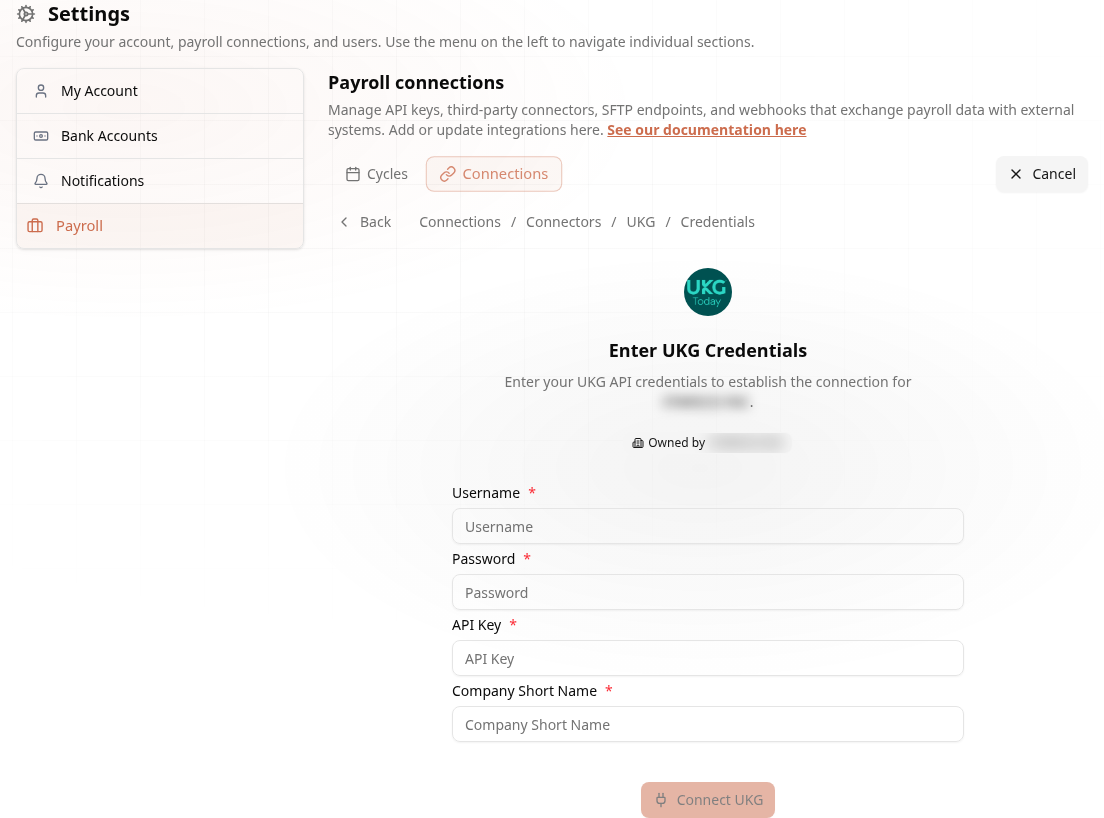
Connected! Payroll data now syncs automatically. Full details in the UKG docs.