What you'll learn
Before you start
- An active Paylocity account with API access
- Admin or Payroll Administrator role in Paylocity
1
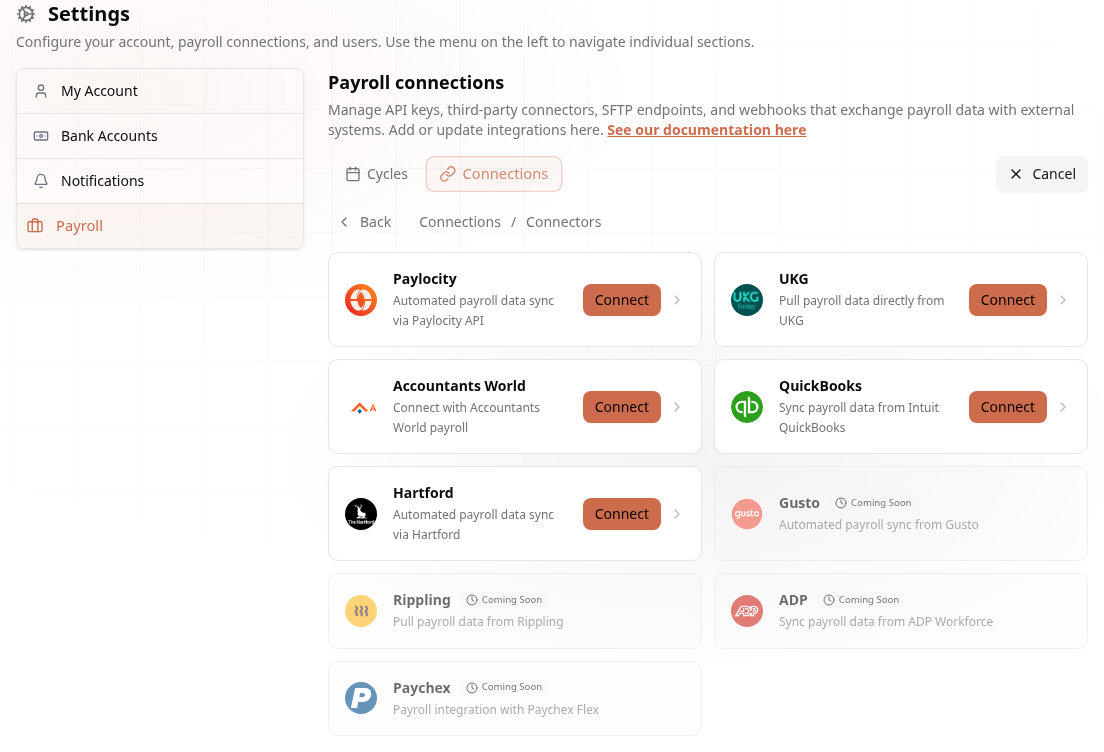
Open the Connector Grid
Paylocity lives under Connectors.
Go to Settings → Payroll → Connections → Create Connection → Connectors and click Connect on the Paylocity card.
2
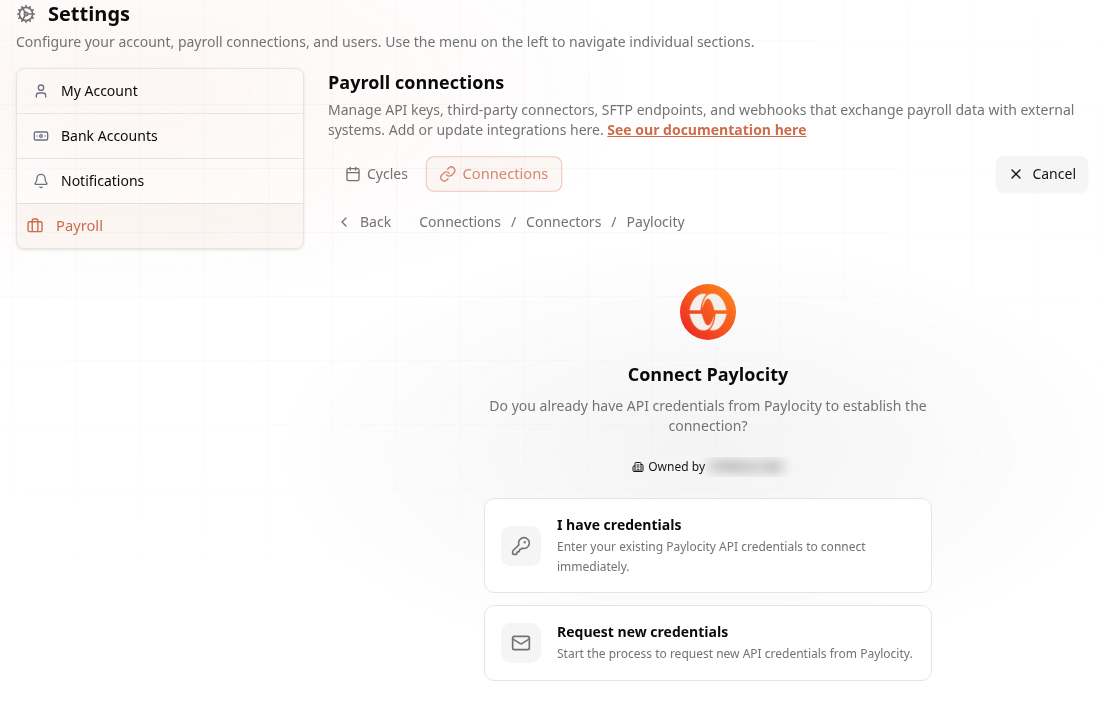
Have Credentials? Two Paths
The wizard meets you where you are.
The wizard asks: “Do you already have API credentials from Paylocity?”
3
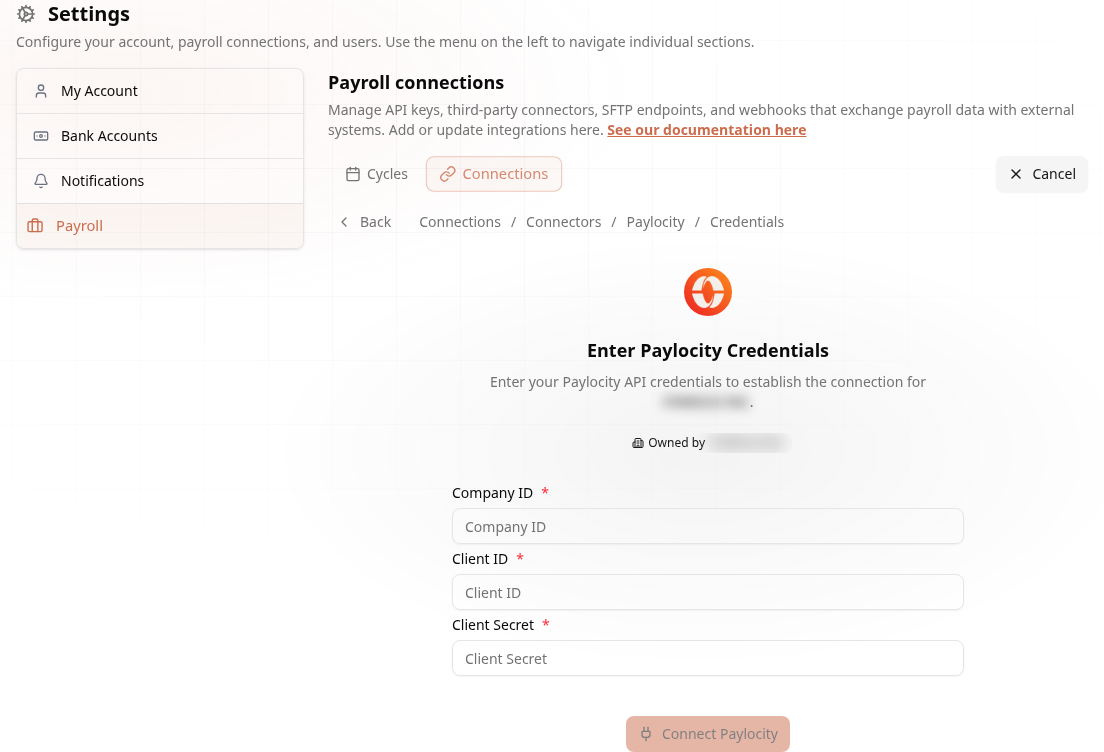
Enter Your Paylocity Credentials
Three fields and you are live.
- In Paylocity: go to Company → API Management and generate API credentials
- In Audit1: enter your Company ID, Client ID, and Client Secret
- Click Connect Paylocity
4
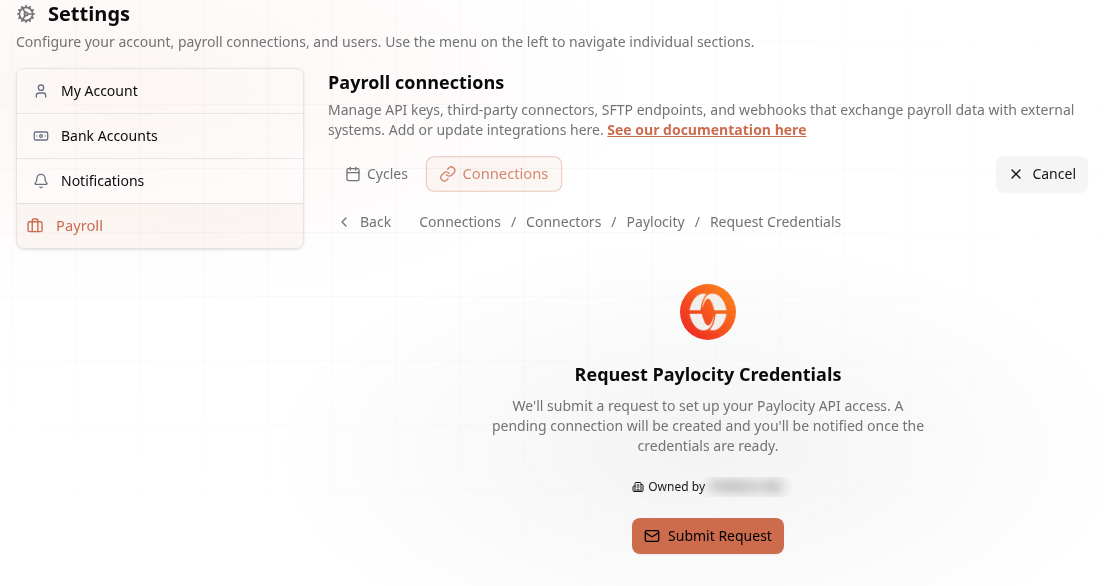
Or Request New Credentials
No credentials yet? Audit1 handles it.
Choose Request new credentials and Audit1 submits the request to set up your Paylocity API access. The connection is created in pending status and you are notified once the credentials are ready — nothing else to do.
Done! Once connected, employee records and pay statements sync automatically. Details in the Paylocity docs.